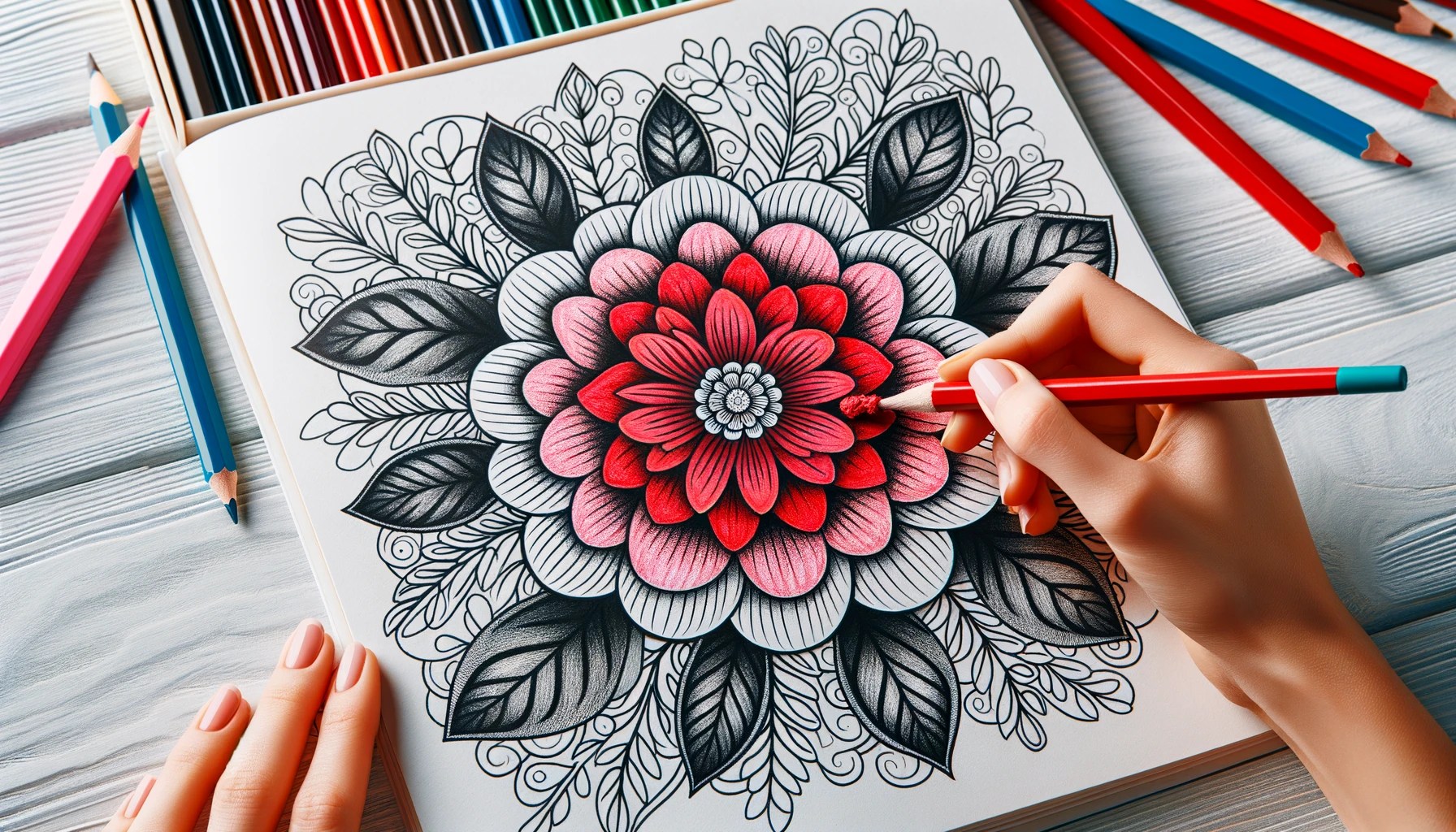
This guide is tailored to help you master the use of drawingEZ’s two pivotal modes: Freehand and Auto. Alongside, we’ll explore the innovative use of masks to revolutionize your coloring approach, giving you greater control and unleashing your creative potential.
Download DrawingEz App Today!

1. Mastering Auto Mode for Effortless Coloring in Large Areas
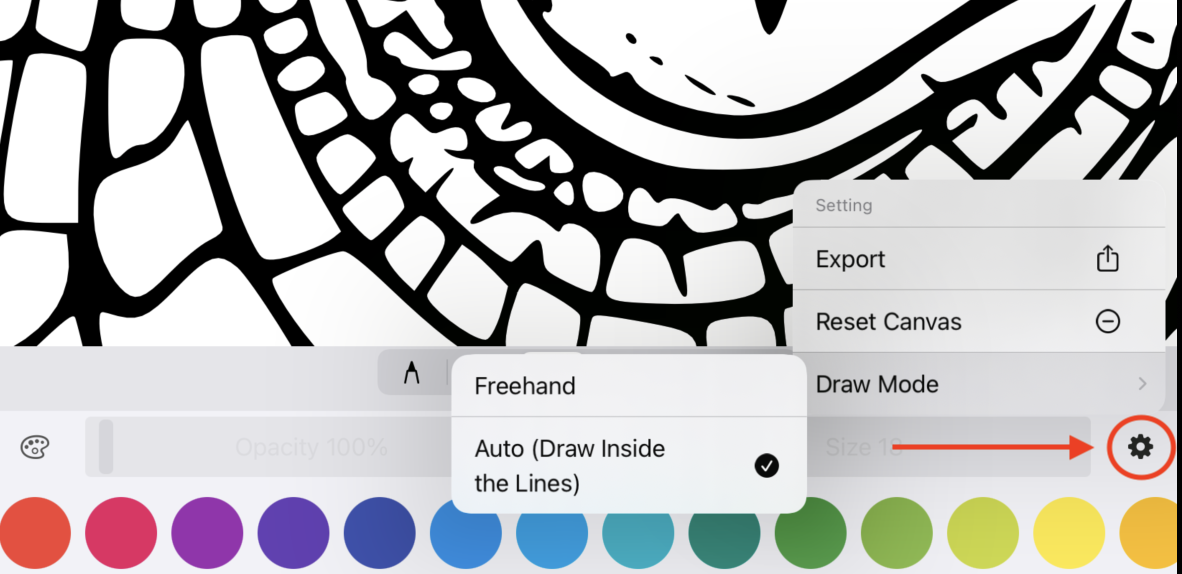
Auto mode in drawingEZ is a game-changer for tackling expansive coloring sections. Designed to keep your strokes within boundaries, it’s the perfect ally for filling larger segments without any color spillage. Ideal for backgrounds or sizable elements, this mode ensures a clean, crisp coloring experience, laying a solid foundation for your digital masterpiece.
2. The Precision of Freehand Mode for Intricate Details
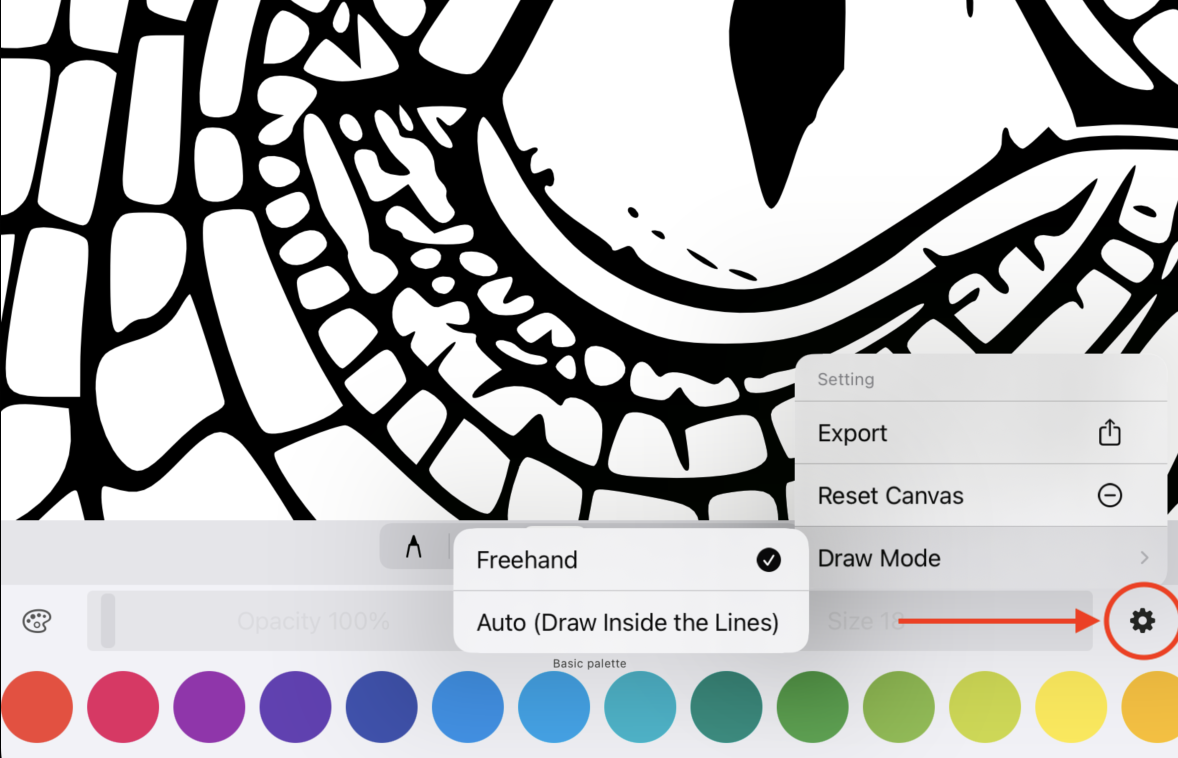
When precision is key, especially in small, detailed areas, the Freehand mode of drawingEZ offers unparalleled control. This mode is crucial for coloring intricate parts that require a meticulous touch. By creating masks in Freehand mode, you gain the ability to color complex sections with ease and accuracy, ensuring that every detail is captured perfectly.
3. Leveraging Masks for Creative Freedom
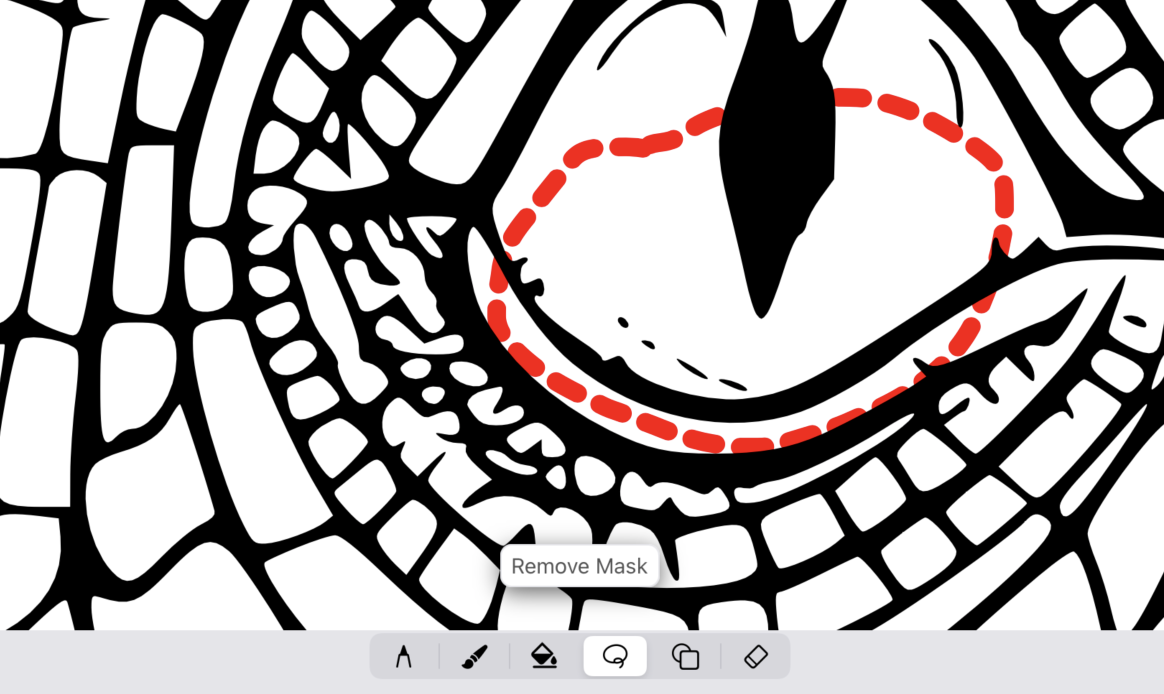
Masks are a powerful feature in drawingEZ, acting as a catalyst for creativity and precision. By defining specific areas for coloring, masks allow you to experiment with complex patterns and bold color choices. Whether it’s adding subtle nuances to your art or defining sharp contrasts, the ability to create and manipulate masks in drawingEZ elevates your artistic expression to new heights.
4. Tips and Tricks for Optimizing Your drawingEZ Experience
To get the most out of drawingEZ, here are some pro tips: Experiment with layering colors in both modes to achieve depth and texture. Use the zoom function for finer control in intricate areas. Don’t hesitate to switch between modes to suit different parts of your artwork.
The fusion of Freehand and Auto modes, complemented by the sophisticated mask feature, positions drawingEZ as an essential tool in the digital artist’s arsenal. It caters to artists at all skill levels, providing a platform to explore, experiment, and excel. Embrace the full potential of drawingEZ and transform your digital art journey into an adventure of endless possibilities and creativity.

 DrawingEZ
Leave a comment